Today we let the Invoker Assistant loose on an empty website for a day, the way a customer would: no terminal, no code, only the chat inside DirectAdmin. This is what came out, and what we changed along the way.
The requests
An empty subdomain on an ordinary shared hosting account. Four requests, typed one after another into the assistant, with Claude in auto mode.
1. "Install WordPress, title Bakkerij De Korenaar." After 58 seconds there was a Dutch WordPress with its own database, LiteSpeed Cache and a strong password shown once. The assistant also explained what the owner should do next: change the password, fill in a real email address, create pages.
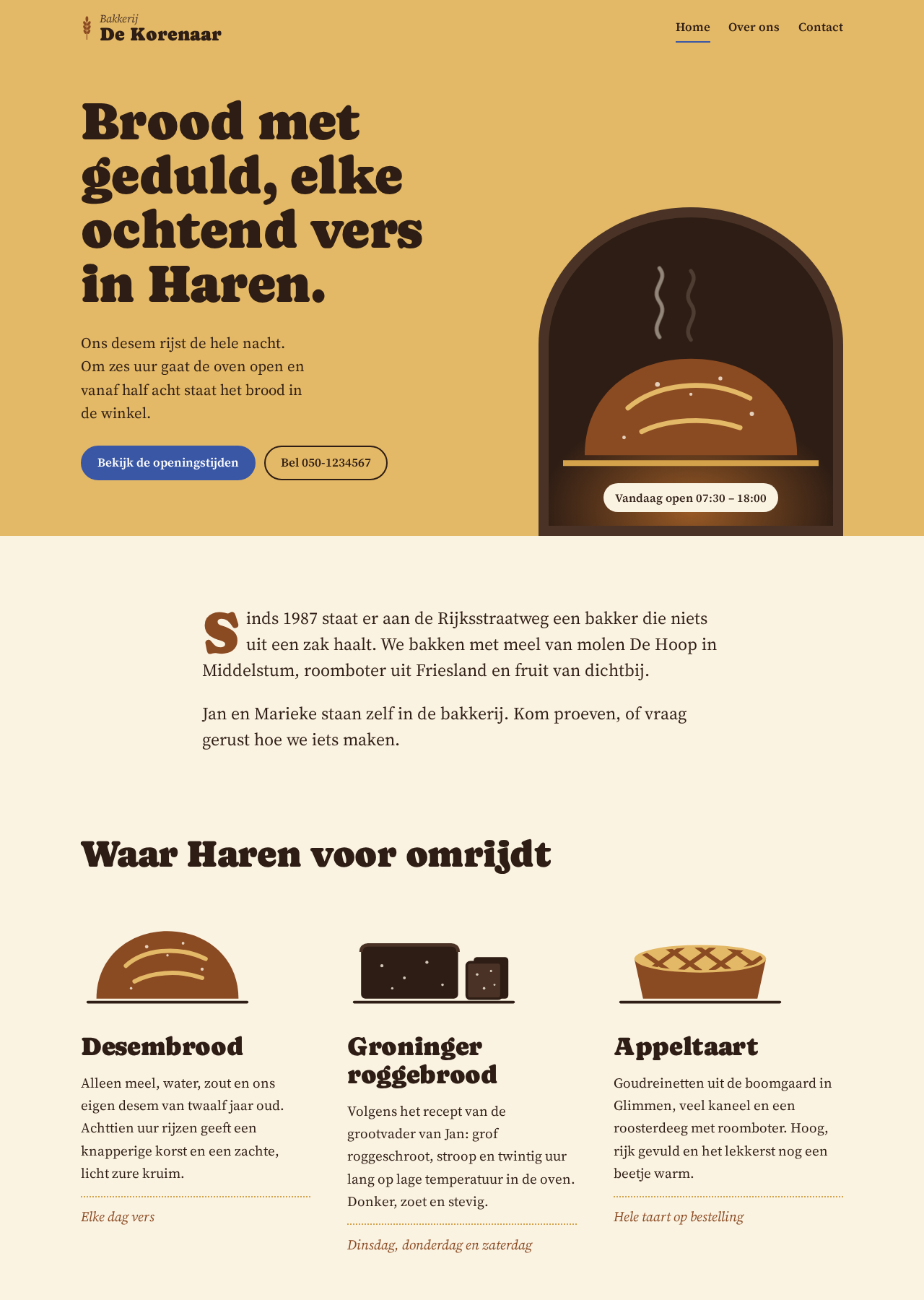
2. "Make a custom theme for a warm, artisan bakery in Haren." No stock template but a theme of its own: a drawn oven, a badge with today's opening hours, three specialties with their own illustrations, and a Customizer where the baker edits address and hours. The assistant took desktop and mobile screenshots, looked at them and fixed what was off. Almost eight minutes.
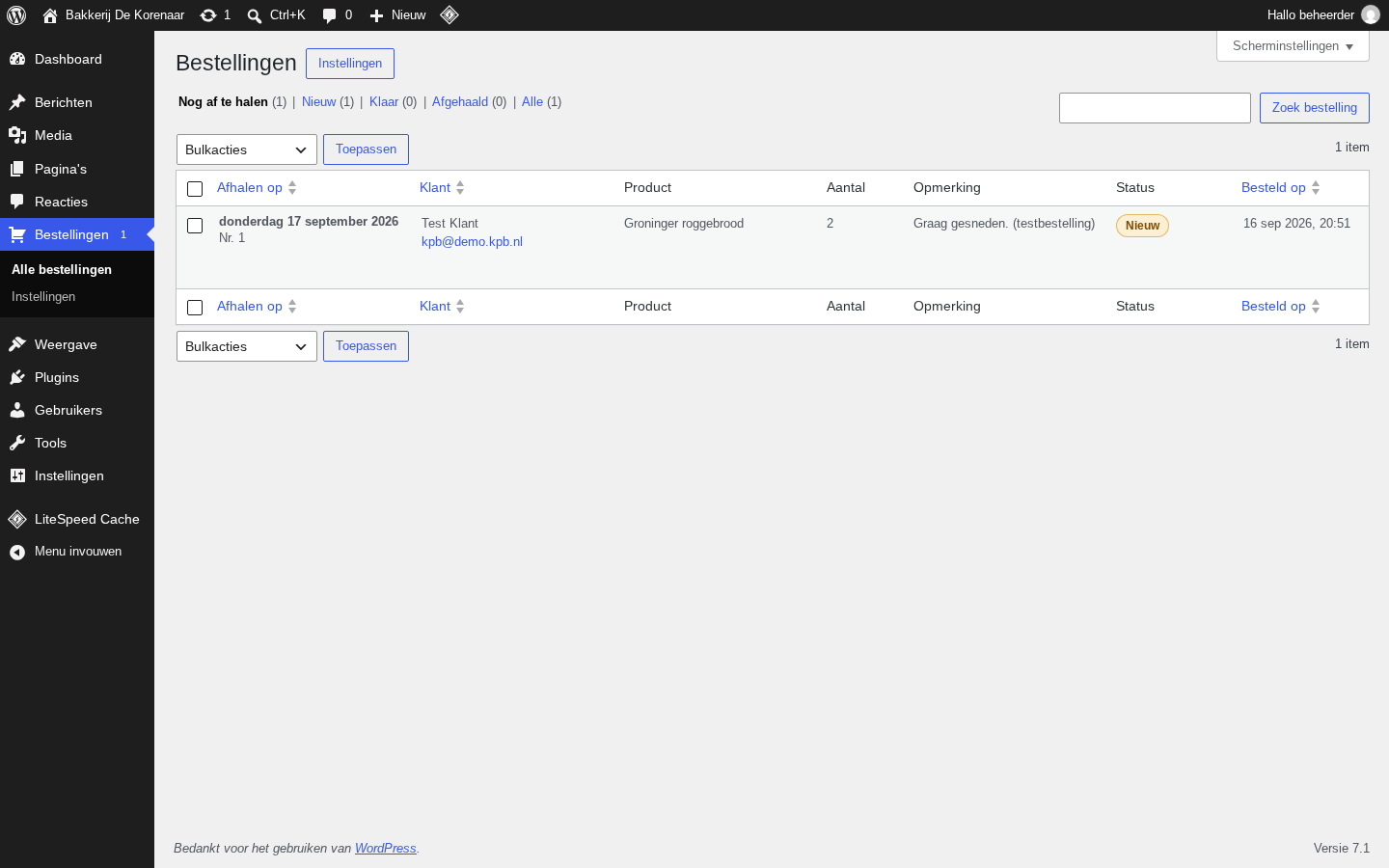
3. "Make a plugin that lets customers reserve bread." A form via shortcode, its own database table, an admin page with statuses and bulk actions, a settings page, confirmation emails. The assistant wrote its own browser test, placed a test order, took seven screenshots and cleaned the test order up again. Also honest: the emails bounced because the test address did not exist, and it said so, asking which address to use.
4. "Configure LiteSpeed Cache properly and measure the difference." TTLs per page type, purge on new orders and Customizer changes, browser cache for a year, minify, the emoji script removed. And one thing deliberately left off: combining CSS, because the theme has a single stylesheet and merging gained nothing. That kind of judgement, with the reasoning, is exactly what you want from a good colleague.
What it takes to make this safe
An AI that may change files on a hosting account needs a few hard rules. This is what we built, and why.
- Everything runs as the customer. Inside the account's jail, within the plan's limits. No root, no view of other customers. A mistake can only touch its own site.
- Every task can be reverted. Before each request we snapshot the website into a hidden git repository outside the webroot. One click on "undo" and everything is back, even after a WordPress install with thousands of files.
- Changes are shown, not hidden. Claude asks for approval per file with the diff attached. Codex cannot do that per change; there we show every change afterwards as a card. Undo keeps working in both cases.
- A preview for big jobs. A copy on preview.yourdomain.com, with its own database for WordPress. Publishing only happens when the owner says so, with a safety copy first.
- The assistant looks at its own work. A real browser on the server takes desktop and mobile screenshots; the assistant reviews them and fixes things. That saves the "looks good" round that turns out not to be.
What we learned today
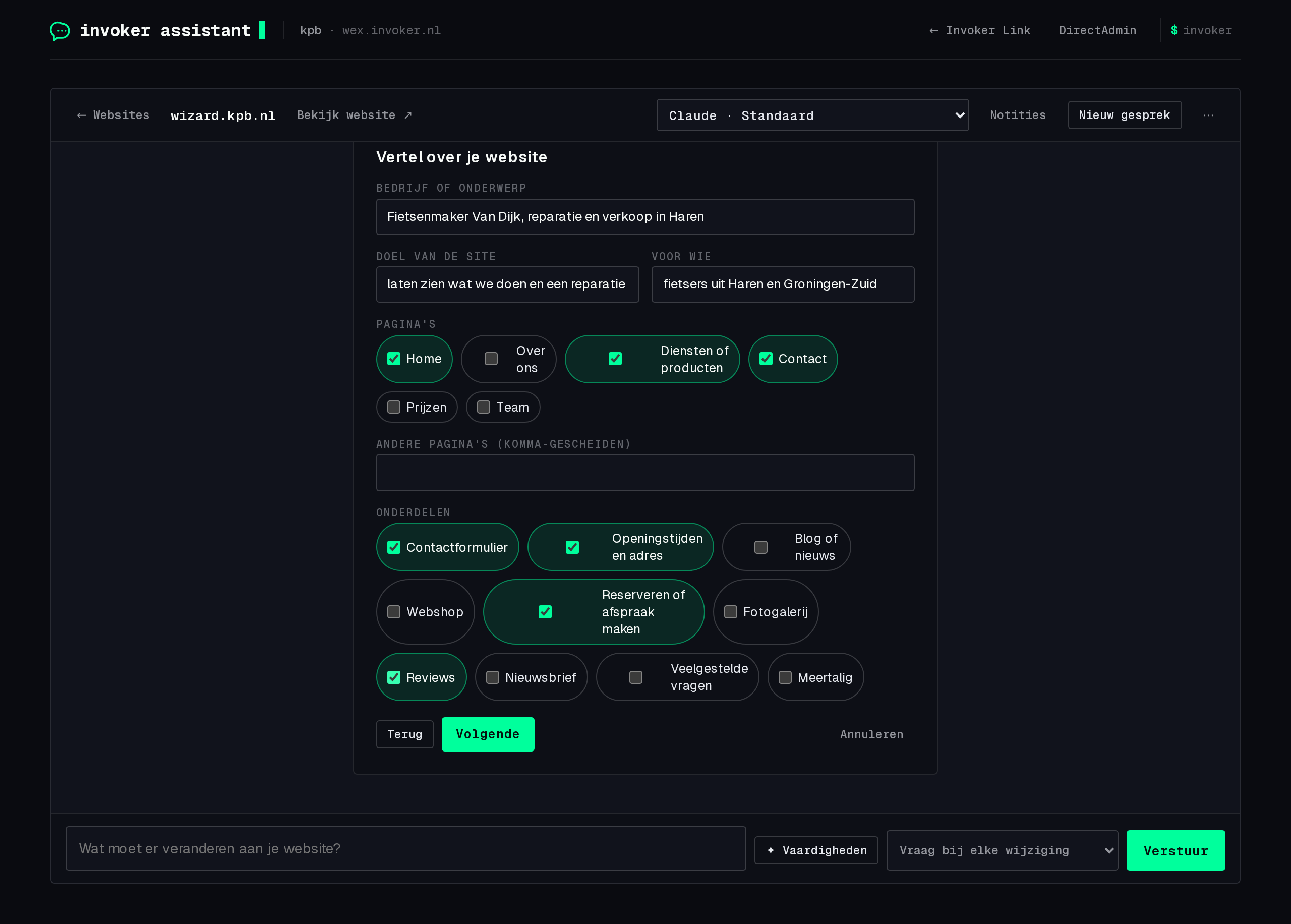
How the request comes in decides the quality. "Make a website" gives a mediocre result; "for an artisan bakery in Haren, warm colours, with opening hours and a reservation form" gives the theme above. So the assistant now has a start wizard: new or import, platform, business, purpose, pages, features, style. The result is a clear request you can still edit before clicking "Start building".
An AI must be able to say something is not possible. When a hosting tool failed in one session, Codex tried to email support, could not, and said so. Since then the assistant has its own channel to us: help request, problem or improvement, with the account's context attached and a copy to the owner. No "I emailed it" without an email.
Big changes break small assumptions. Our snapshot produced a full diff after every task. For a WordPress install that is too large for a buffer. Now, for hundreds of files, we show the file list only; undo uses the snapshot itself, not the diff.
Read and search steps are noise to the owner. A line like "ran grep -rn" means nothing to a baker. Those steps are now summarised as "read 2 files, ran 3 commands", with the details one click away for anyone who wants them.
Claude or Codex?
Both work with the subscription you already have. Claude asks for your OK per change and has an auto mode; Codex applies directly and shows afterwards. If you want to see every change, Claude is the better pick. For quickly updating a site you trust, Codex is fine. In the assistant you choose the provider and model per chat, and notes, previews and skills are shared.
Everything in this story is part of Invoker Link and the Invoker Assistant, included with every web hosting plan.